Midnight Keybinding Planner (New Addon & Webtool!)
Keybinds. They're important. So we tried our hand at addon and web development to give you the tools required to solve it effortlessly. Also: recommended import strings and layouts for every spec.

Alright, it's here. It took a while, but for good reason.
UI's been getting all the love, of late. The Cooldown Manager has swooped in to replace WeakAuras, which (mostly) replaced staring at your Action Bars. Everyone wants the perfect UI to optimise their gameplay. Every streamer has their setup available. Great stuff, if you ask me, but...
Keybinds get approximately zero of the attention, despite being just as important. Naturally, because they're more personal. There isn't the same one-size-fits-all solution. Different hand sizes, keyboard sizes, mice, and even just preferences. No one says "actually, put Judgment on this bar" or "definitely have Divine Shield exactly here for emergencies". No one offers both a fixed solution and personalization, because it seems those two are mutually exclusive.
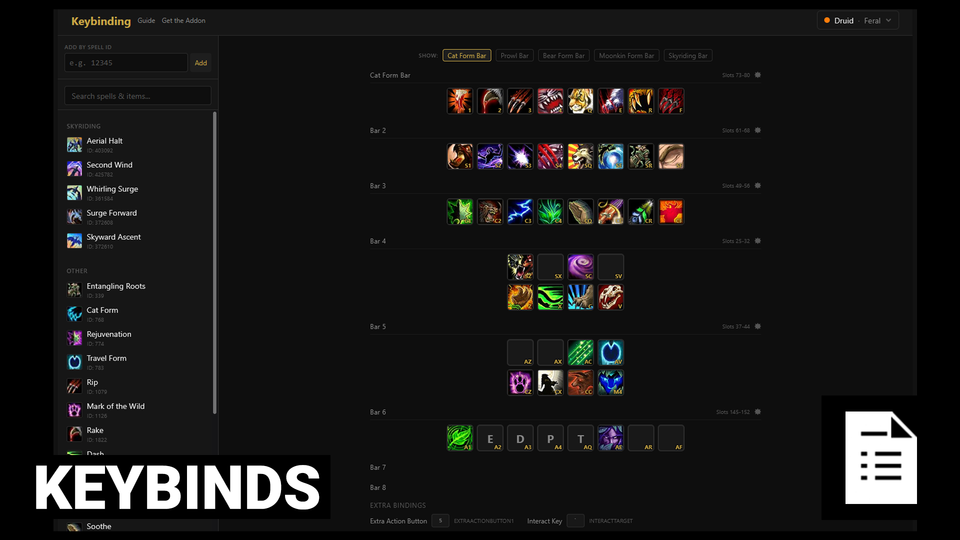
That's utter nonsense. You can absolutely do both. So we made this. A keybinding web tool. It works with our addon, allowing you to customise a set of keybinds and ability placements online then import them to the game effortlessly. It even has my own recommendations based on my personal usage of every spec.
Just Put The Keybinds In The Bag Bro
Fine.
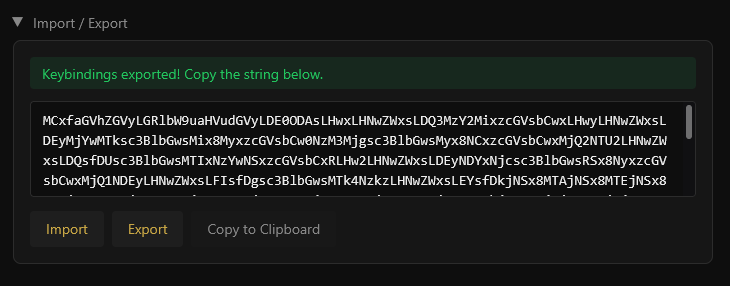
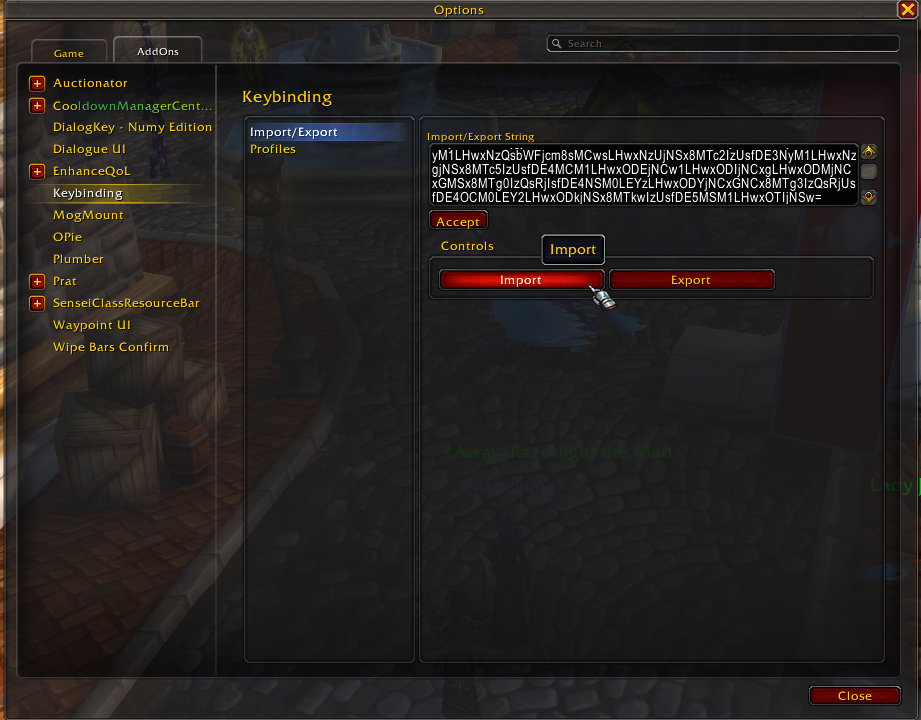
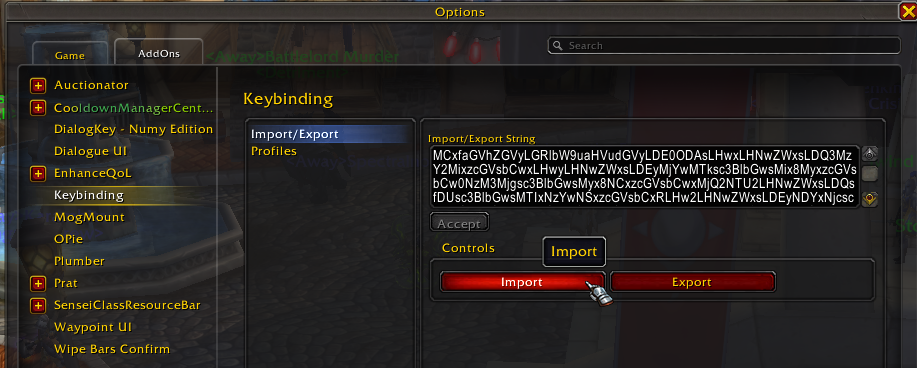
Download the addon. Go to this spreadsheet. Grab the Edit Mode string and import it the usual way - Esc -> Edit Mode -> click the dropdown - Import. Open the Keybinding addon dialogue with /kb. Then grab your spec string from the spreadsheet, paste it, and click Import. Job done. My recommended layout and keybinds.
Okay I'll Write A Real Guide
First, basic usage. This is a bar. You can drag and drop abilities around. You can right click to clear them.

To assign a keybind, you click, then hit the key you want. It behaves very similarly to WoW itself: The button-press will change the bind AND confirm so binding everything is super easy.
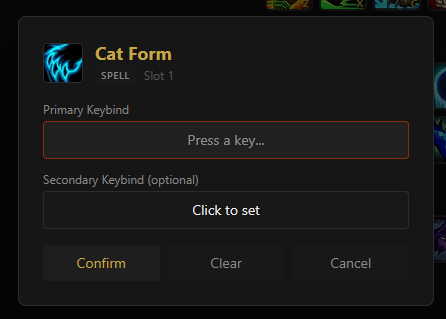
Here's a fun feature: Automatic ground macro creation. If you have an ability that targets the ground, say Death and Decay, you can do thos:
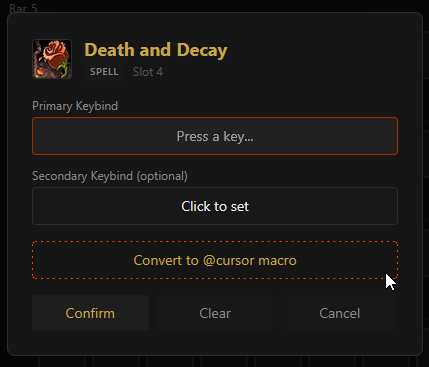
Click the Convert to @cursor macro and the ability will be replaced with... well, yeah.
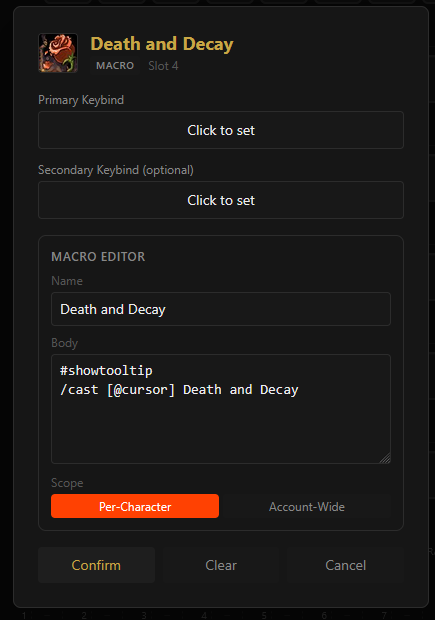
Which is also my way of introducing that this also has basic macro editor functionality. If you have a macro on your bar and import it, you can edit it on the fly. More macro functionality to come in the future!
Next up, defaults. Each spec page has this little notification at the bottom:

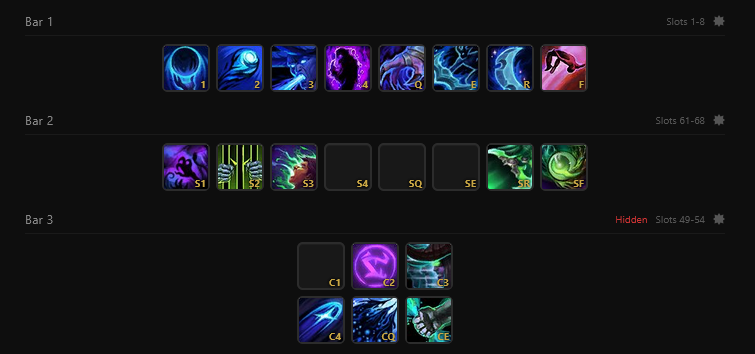
Click the apply button will turn your screen into something like this: My personal setup for, in this case, Vengeance.
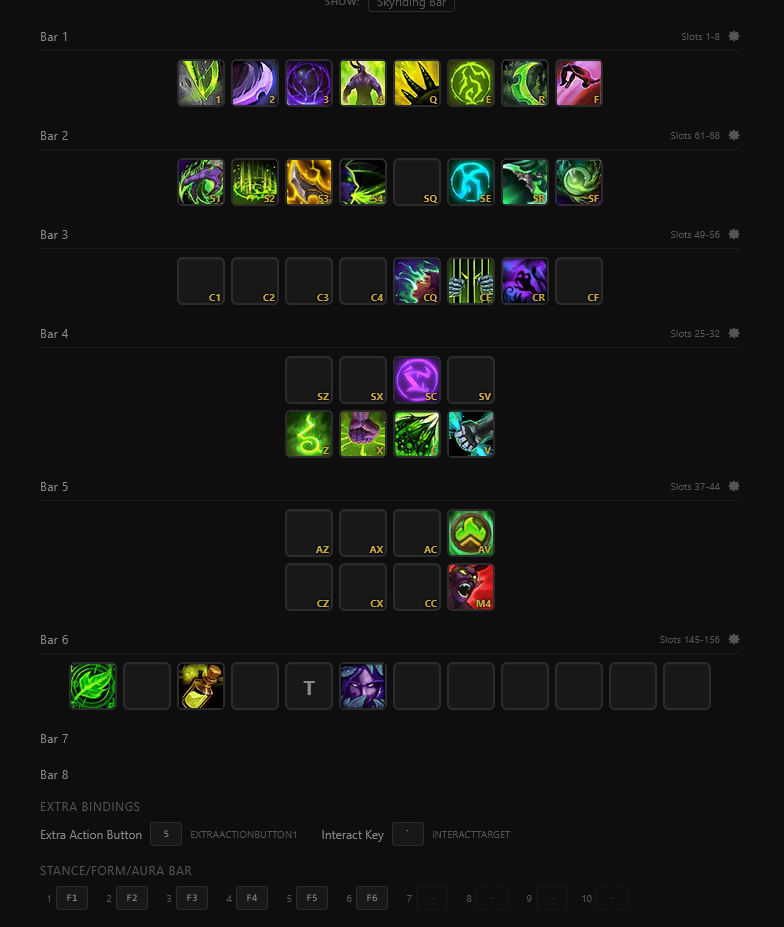
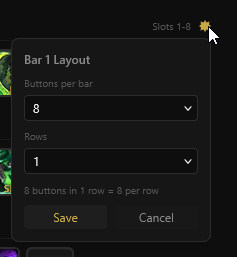
You'll notice the layout is a bit different from the default 12x1. That's what this bad boy is for. This little cog opens up layout settings - which, for now, are only for visual guidance on the bars. The addon doesn't support changing these in-game yet.
You may also have noticed these options:

These behave just like stances/forms do in WoW. They use the same keybind from Bar 1, but have a different ability bound. The tool mirrors WoW's behaviour exactly. Make sure you've got form abilities bound as Druid and Stealth ones bound as Rogue. Warrior Stances and Priest Shadowform no longer change to Bonus Bars, which is awesome. But everyone will need their Skyriding stuff bound, too!


Easiest game of Spot the Difference I've ever played.
Now, this is the Spell List. It has every spell you should need to bind. Emphasis on should - if you bind all of these, you will be fine. I thought that would be the easiest for you.
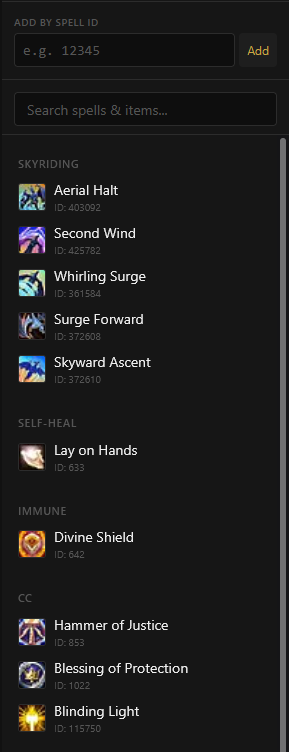
But I know you might want to bind your own spell, like a racial or a PvP ability. So you can add those by ID. Use an addon to check the spell ID in game, or hit a quick Wowhead search - you're already an advanced user so I trust you on this.
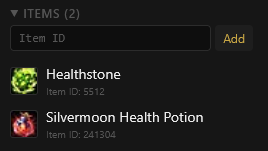
Same with items. At the bottom of the spell list, there's an item list. You can add things like Healthstones via the ID - 5512 for Healthstone, 241304 for Silvermoon Health Potion, that kind of thing. Then drag them to the bar. Once we're in Midnight proper, I'll update this with every item we're using.
That's it. That's all the features. So, next thing is an old thing made new!
But I Liked The Spreadsheet...?
Say no more. The manual planning spreadsheet has been updated with new logic and categories for every ability in Midnight.
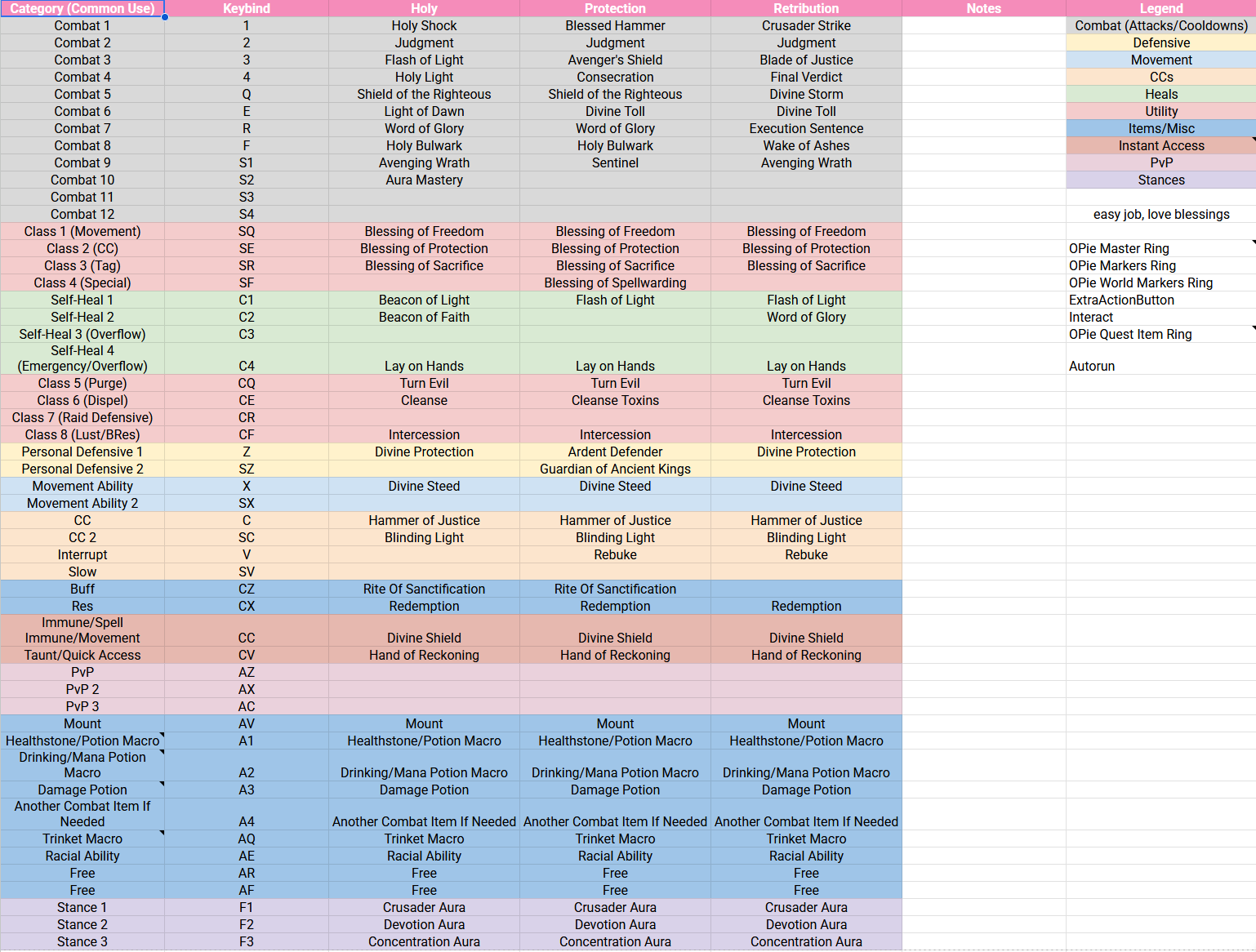
For a quick refresher, this sheet has an entry for your own binds.

In that sheet, you can replace my default buttons with whatever you want. They'll populate all the class fields so you can do your keybinds yourself at a glance.
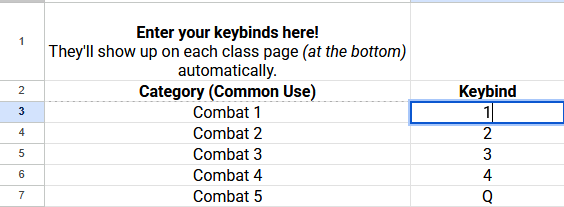
Easy to understand, but not as powerful. I did actually make a different spreadsheet that (usually) works with the addon, but... it's an extremely heavy WIP and I can't really recommend it versus the manual planner OR the webtool version, because of the inherent limitations of the spreadsheet format. Please use something else.
There's A Bit More!
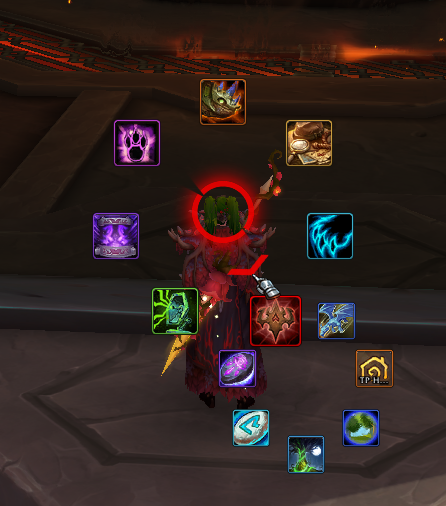
I made an OPie Master Ring, too. While you're here, get OPie. Then import this snapshot.
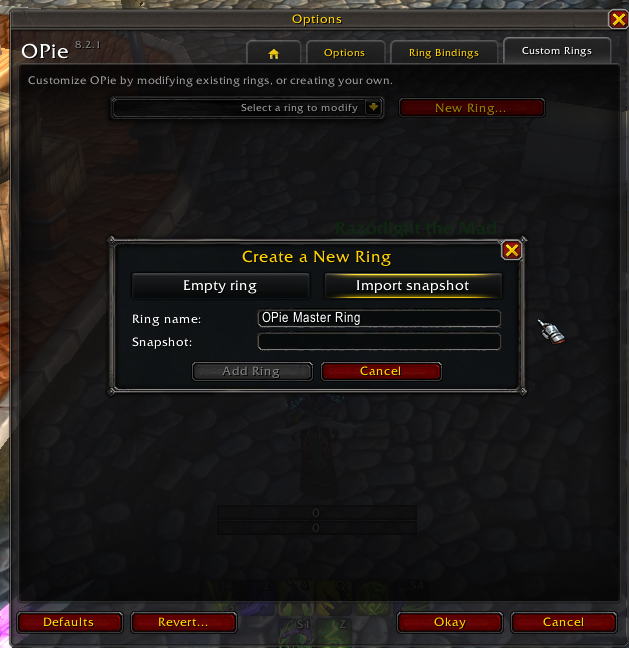
Then, bind it to whatever you want - I use T, so it takes just a teeny tiny bit of reaching - and it'll handle all of this for you:
- Travel (Hearthstones, wormholes, teleports)
- Mounts (specifically Yak/Packmaster, Brutosaurs and Sandstone Drake for carrying someone)
- Functional toys (mailbox, mog, date sim, etc)
- Raid buffs and self buffs (Mark of the Wild, Rogue Poisons, Lightning Shield, etc)
- Spec changes!
Help, I Found A Problem!
...yeah, I bet. My first real product launch is certainly going to have issues. If you find any, hit me up on X or leave a comment on Curseforge. If you're a member, leave some feedback in our Members' Discord. This is absolutely an ongoing project - and, honestly, one of many in Midnight.